OpenClaw Alternatives: 9 Tools Compared for 2026
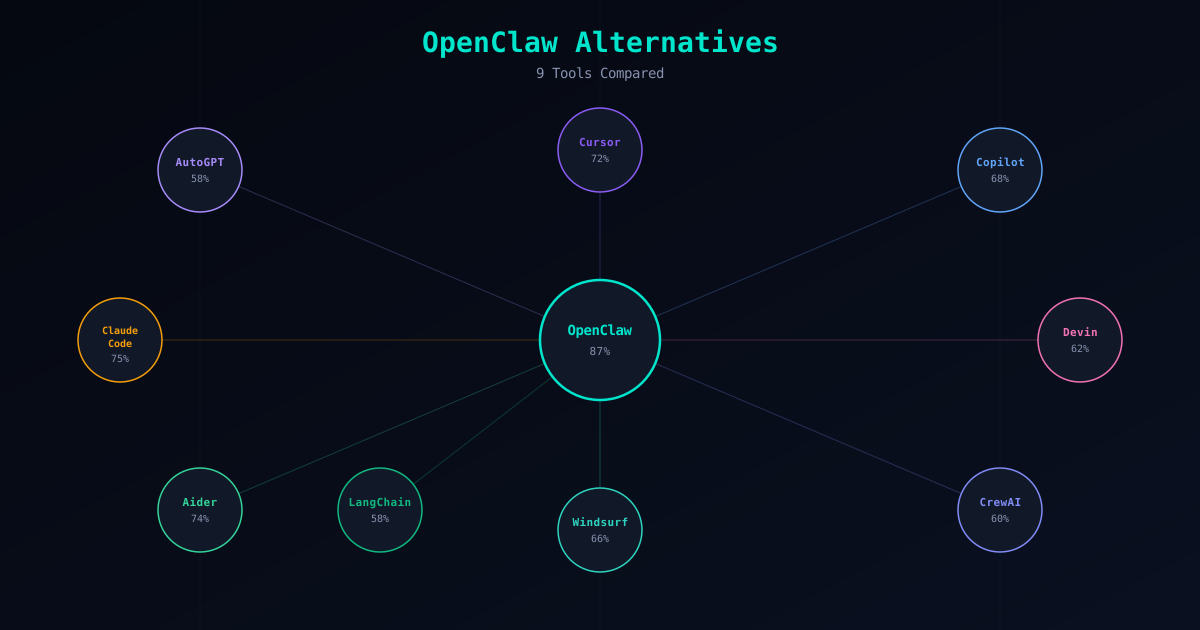
OpenClaw is our top recommendation for AI-assisted development, but we are not here to pretend it is the only option worth considering. Different developers have different needs, and an honest evaluation of the alternatives helps everyone make a better decision — including developers who ultimately choose OpenClaw after seeing what else is available.
This guide covers 9 tools that serve as alternatives to OpenClaw in various ways. Some compete directly as CLI agents. Others take a fundamentally different approach through IDE integration, full autonomy, or multi-agent orchestration. For each one, we explain what it does well, where it falls short compared to OpenClaw, and who should consider it. No tool is perfect for everyone, and that includes OpenClaw.
Why Look at Alternatives?
There are legitimate reasons to explore tools beyond OpenClaw, and acknowledging them matters more than pretending they do not exist.
Workflow preference. OpenClaw is CLI-first. If you live inside your IDE and never open a terminal, a tool like Cursor or Windsurf might fit your workflow better. The best tool is the one you actually use, and forcing a CLI workflow on someone who prefers a visual editor helps no one.
Team constraints. Some teams have existing vendor commitments. If your organization is already invested in the Anthropic ecosystem, Claude Code provides tighter integration with Claude models. If your team standardizes on GitHub, Copilot’s native integration reduces friction.
Specific needs. OpenClaw excels at general-purpose development tasks with strong security. But if you need fully autonomous task execution, multi-agent orchestration, or custom LLM pipelines, specialized tools may serve those specific needs better — even if they lack OpenClaw’s breadth.
Budget and scale. Some teams need the cheapest possible option. Others have enterprise budgets and want maximum autonomy. The right price point depends on what you are building and how much risk you can tolerate.
OpenClaw Alternatives Compared
1. Cursor — For IDE-First Developers
Cursor is a VS Code fork with AI capabilities built into every part of the editing experience. Tab completion, inline chat, multi-file editing, and codebase-wide context awareness make it the most polished AI IDE available. If you think of your editor as your primary development tool and want AI embedded directly into that experience, Cursor is the strongest option.
Where Cursor falls short compared to OpenClaw is in security and extensibility. Cursor is proprietary — you cannot inspect how it processes your code or verify what data leaves your machine. There is no sandboxing, no permission model, and no skill marketplace. You trust Cursor’s infrastructure implicitly. For personal projects and prototyping, this is usually acceptable. For enterprise environments handling sensitive code, the lack of verifiable security controls is a real concern.
The pricing model includes a free tier with limited completions and a $20/month pro plan. The AI capabilities are strong, but you are paying for an IDE experience, not an agent framework. If you need autonomous task execution, CI/CD integration, or custom automation, Cursor does not extend into those areas. Read the full OpenClaw vs Cursor comparison for detailed analysis.
2. GitHub Copilot — For Inline Code Completion
GitHub Copilot is the most widely adopted AI coding tool in the world, and for good reason. Its inline suggestion engine is fast, context-aware, and genuinely useful for reducing boilerplate. The GitHub integration is deep — pull request summaries, code review assistance, and repository-level understanding come built in. For developers who want AI that helps them write code faster without changing their workflow, Copilot is the path of least resistance.
The limitation is scope. Copilot is primarily an autocomplete and chat tool, not an autonomous agent. It does not plan multi-step tasks, execute shell commands, or modify files across your codebase based on high-level instructions. Copilot Chat adds conversational capabilities, but the tool is fundamentally reactive — it responds to what you are doing rather than proactively accomplishing goals.
Compared to OpenClaw, Copilot trades autonomy and extensibility for simplicity and integration. At $10-19/month, it is affordable and low-risk. But if you need an agent that can handle complex tasks end-to-end, Copilot supplements rather than replaces that capability. See OpenClaw vs Copilot for the complete breakdown.
3. Claude Code — For Anthropic-Committed Teams
Claude Code is Anthropic’s official CLI agent for developers. It connects directly to Claude models and provides a terminal-based workflow for code generation, refactoring, debugging, and large-scale file manipulation. The quality of output is consistently high, and the tool handles complex, multi-file tasks with a level of understanding that reflects Claude’s strong reasoning capabilities.
The trade-off is vendor lock-in. Claude Code works exclusively with Claude models — no multi-model support, no local model option via Ollama, and no Gateway equivalent for routing requests to different providers. The security model relies on Anthropic’s built-in safety features rather than user-configurable controls. There is no skill marketplace or community-driven extension system.
For teams that use Claude exclusively and do not need model flexibility or a skill ecosystem, Claude Code is an excellent tool. The CLI experience is polished, the model quality is top-tier, and the Anthropic team maintains it actively. For everyone else, the single-model constraint and lack of extensibility are significant limitations. Read the full OpenClaw vs Claude Code comparison.
4. Devin — For Fully Autonomous Development
Devin takes the most aggressive approach on this list. It aims to be a fully autonomous software developer that operates in its own cloud environment with a browser, terminal, and editor. Give it a task, and it plans the implementation, writes code, runs tests, debugs failures, and iterates — all with minimal human input.
When Devin works well, the results are genuinely impressive. Complex migrations, comprehensive test generation, and repetitive infrastructure tasks can be completed without constant human supervision. The cloud-based sandbox provides genuine isolation, which is a security advantage over tools that run directly on your machine without sandboxing.
The costs are substantial: $500/month as a starting price, making it the most expensive tool on this list by a large margin. The autonomous approach also means less predictability — when something goes wrong in a multi-step autonomous process, diagnosing the root cause is harder than in a human-in-the-loop workflow. For enterprise teams with budget and appropriate use cases, Devin delivers value. For most developers, OpenClaw provides better results at a fraction of the cost. See OpenClaw vs Devin.
5. Aider — For Focused Pair Programming
Aider is the closest alternative to OpenClaw in spirit: an open-source CLI tool for AI-assisted coding. You chat with an LLM about your codebase, and Aider edits files directly with clean git integration. It supports multiple models, keeps token usage low, and focuses on doing one thing well — turning conversation into code changes.
The key difference from OpenClaw is scope. Aider is a pair programming tool, not an agent framework. There is no skill ecosystem, no marketplace, no sandboxing, and no permission model. Aider edits files and commits changes. OpenClaw does that plus task planning, tool use, custom skill installation, sandboxed execution, and human approval gates.
If you want the simplest possible AI coding workflow and you are comfortable managing security yourself, Aider is lightweight, effective, and free. If you need the infrastructure that comes with a full agent framework — security controls, extensibility, community-maintained skills — OpenClaw provides what Aider does not. The OpenClaw vs Aider comparison covers every detail.
6. Windsurf — For AI-Enhanced IDE Experience
Windsurf is Codeium’s entry into the AI IDE space, built on a VS Code foundation with fast autocomplete and an agentic “Cascade” feature for multi-step coding tasks. The autocomplete engine is notably quick — often faster than Cursor — and the free tier is usable enough for individual developers to get real value without paying.
Windsurf competes directly with Cursor, and choosing between them often comes down to preference. Windsurf tends to excel at speed and responsiveness; Cursor tends to offer more mature multi-file editing. Both are proprietary, both require trusting a vendor with your code, and neither offers the security infrastructure or open-source transparency of OpenClaw.
As an OpenClaw alternative, Windsurf makes sense if you specifically want AI inside your editor rather than your terminal. The free tier lowers the barrier to trying it. But like Cursor, it is an IDE enhancement rather than an autonomous agent — it helps you write code faster but does not plan, execute, or automate multi-step workflows independently. Read OpenClaw vs Windsurf for the full comparison.
7. CrewAI — For Multi-Agent Orchestration
CrewAI is a Python framework for building teams of AI agents that collaborate on complex tasks. You define agents with specific roles — researcher, coder, reviewer, deployer — assign them tasks, and let them work together with structured handoffs between stages. It is the most mature multi-agent orchestration framework available.
CrewAI is not a drop-in replacement for OpenClaw. It is a framework you build on, not a product you install and use. You write Python code to define agents, configure their tools, design workflows, and handle edge cases. The learning curve is steep, the development investment is significant, and maintaining custom agent systems requires ongoing engineering effort.
The value proposition is architectural flexibility. If you need agent workflows that no existing product supports — custom research pipelines, automated content generation with review stages, or complex data processing chains — CrewAI gives you the building blocks. If you want an agent that works out of the box for coding tasks, OpenClaw is the practical choice. See OpenClaw vs CrewAI.
8. LangChain — For Custom LLM Applications
LangChain is the most widely used toolkit for building LLM-powered applications, and its agent module allows you to create custom AI agents with tool-use capabilities. Chains, memory, retrieval, tool integration, and agent loops are all available as composable abstractions. If you need to build something highly specific, LangChain gives you the pieces.
The trade-off is development effort. LangChain is a toolkit, not a product. Building a reliable agent with LangChain requires significant Python development, careful prompt engineering, and ongoing maintenance as the framework evolves. Version changes have historically been breaking, documentation lags behind the code, and the abstraction layers add complexity that can be hard to debug.
LangChain makes sense as an OpenClaw alternative when you need capabilities that no existing agent provides and you have the engineering capacity to build and maintain a custom solution. For standard coding tasks, OpenClaw is faster to set up, easier to maintain, and comes with a security model that LangChain leaves entirely to you. The OpenClaw vs LangChain comparison covers the details.
9. AutoGPT — For Autonomous Experimentation
AutoGPT is the project that ignited the autonomous AI agent movement in 2023. It takes a goal, recursively decomposes it into sub-tasks, executes them, evaluates results, and iterates. The vision of a fully self-directed AI agent captured massive attention, and the project remains the most well-known autonomous agent framework.
The practical reality has not matched the vision. AutoGPT’s recursive planning loop frequently enters cycles where the agent plans to plan without producing useful output. Token costs can reach $20-50 per task due to the overhead of recursive evaluation. Reliability on real-world coding tasks is inconsistent, and the community has contracted from its 2023 peak.
As an OpenClaw alternative, AutoGPT makes sense for one specific use case: experimenting with autonomous agent behavior. If you want to study how recursive planning works, where autonomous agents fail, and how to improve them, AutoGPT is the canonical research platform. For productive coding work, it is not a practical alternative to OpenClaw or any other tool on this list. Read OpenClaw vs AutoGPT for the full analysis.
Quick Comparison Table
| Tool | Type | Open Source | Security | Cost | Best For |
|---|---|---|---|---|---|
| Cursor | AI IDE | No | Implicit (trust vendor) | Free tier + $20/mo pro | IDE-first developers |
| GitHub Copilot | IDE Extension | No | Implicit (trust vendor) | $10-19/mo | Inline code completion |
| Claude Code | CLI Agent | No | Anthropic built-in safety | Pay per token | Anthropic-committed teams |
| Devin | Autonomous Agent | No | Cloud sandbox | $500/mo | Full autonomy, enterprise |
| Aider | CLI Tool | Yes | None (user responsibility) | API costs only | Lightweight pair programming |
| Windsurf | AI IDE | No | Implicit (trust vendor) | Free tier + paid plans | Fast autocomplete in IDE |
| CrewAI | Python Framework | Yes | User-configured | API costs + dev time | Multi-agent orchestration |
| LangChain | Python Toolkit | Yes | User-configured | API costs + dev time | Custom LLM pipelines |
| AutoGPT | Autonomous Agent | Yes | None (user responsibility) | $5-50+/task | Autonomous experimentation |
What Makes OpenClaw Different
Before deciding on an alternative, it is worth understanding exactly what you would be giving up. OpenClaw’s advantages are not marketing claims — they are architectural decisions that have concrete consequences for security, cost, and flexibility.
Sandboxed execution. OpenClaw runs skills inside Docker-based isolation. File access, network requests, and shell commands are contained. No other CLI agent on this list provides equivalent sandboxing out of the box. Tools like Cursor, Copilot, and Aider run with whatever access your user account has.
Granular permissions. Every skill declares what it needs — fileRead, fileWrite, network, shell — and you approve or deny those permissions explicitly. This is not a binary on/off switch; it is a fine-grained control system that follows the principle of least privilege. For details on how this works, see our Permissions Explained guide.
Verified skill ecosystem. The Verified Skills catalog contains skills that have been security-audited by the UseClawPro team. The Skill Verifier lets you check any skill before installation. No other agent on this list has an equivalent system for vetting extensions.
Multi-model support. Through Gateway, OpenClaw connects to any LLM provider — Anthropic, OpenAI, Google, Mistral, and more. Local model support via Ollama means you can run completely offline with zero API costs. No vendor lock-in, no single point of failure.
Human-in-the-loop. OpenClaw proposes changes and waits for confirmation before executing. This is a deliberate design choice that trades some autonomy for safety and predictability. For production environments and sensitive codebases, the approval gate is a feature, not a limitation.
For the complete security walkthrough, see our OpenClaw Security Guide.
Conclusion
Every tool on this list has a legitimate use case. Cursor and Windsurf are excellent for developers who want AI inside their IDE. Copilot is the safest incremental adoption of AI coding assistance. Claude Code is strong for Anthropic-committed teams. Aider is the best minimalist option. Devin serves enterprise teams that need autonomy. CrewAI and LangChain enable custom architectures. AutoGPT remains a valuable research platform.
But if security, extensibility, and open-source transparency are priorities — and for professional development work, they should be — OpenClaw is hard to beat. The combination of sandboxing, permissions, verified skills, multi-model support, and an active community is not replicated by any single alternative on this list.
Ready to try OpenClaw? Follow the Installation Guide to get started in about 30 minutes. Already using OpenClaw and want to strengthen your setup? Start with the OpenClaw Security Guide.