OpenClaw Credential Protection: Secure API Keys
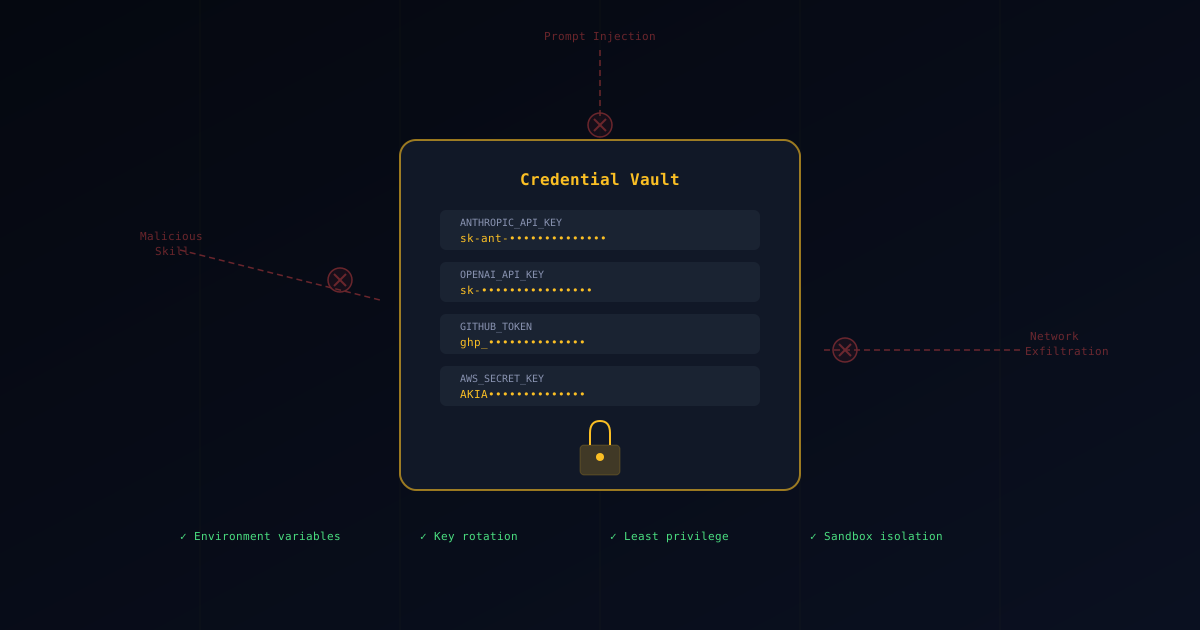
Malicious skills target credentials first. API keys, cloud tokens, SSH keys, and database passwords are the highest-value targets for attackers. This guide shows you how to keep them safe.
How OpenClaw Skills Steal Credentials
OpenClaw skills can access credentials through several vectors:
- Environment variables: Skills can read
process.envto access any loaded env vars - File system access: Skills can read
.env,~/.aws/credentials,~/.ssh/, etc. - Shell history: Commands containing tokens get logged to
~/.bash_history - Git history: Accidentally committed secrets remain in git history
- Prompt context: Credentials pasted into prompts become part of the AI context
Rule 1: Keep API Keys Out of OpenClaw’s Reach
Exclude Files from OpenClaw
Configure OpenClaw to ignore sensitive files:
{
  "exclude": [
    ".env",
    ".env.*",
    "*.pem",
    "*.key",
    "credentials.json",
    "service-account.json",
    ".aws/**",
    ".ssh/**",
    ".netrc"
  ]
}
Use Environment Variable Managers
Instead of .env files, use dedicated secret managers:
1Password CLI:
# Load secrets at runtime, not stored on disk
eval $(op signin)
export API_KEY=$(op read "op://Development/MyAPI/credential")
direnv with encrypted files:
# .envrc (tracked in git — contains no secrets)
export API_KEY=$(sops -d secrets.enc.yaml | yq '.api_key')
AWS Secrets Manager:
export DB_PASSWORD=$(aws secretsmanager get-secret-value \
  --secret-id myapp/db-password \
  --query SecretString --output text)
Rule 2: Isolate OpenClaw Credential Access
Separate Credential Scopes
Create different credential profiles for different contexts:
# Development profile — limited access
export AWS_PROFILE=dev-readonly

# Never use production credentials locally
# Production credentials should only exist in CI/CD
Use Short-Lived Tokens
Prefer short-lived tokens over long-lived API keys:
# AWS: Use STS temporary credentials
aws sts get-session-token --duration-seconds 3600

# GitHub: Use fine-grained personal access tokens
# Set expiration to 7 days, minimal permissions
Rule 3: Detect OpenClaw Credential Leaks
Git Pre-Commit Hooks
Prevent secrets from being committed:
# Install gitleaks
brew install gitleaks

# Add pre-commit hook
cat > .git/hooks/pre-commit << 'EOF'
#!/bin/sh
gitleaks protect --staged --verbose
EOF
chmod +x .git/hooks/pre-commit
Monitor for Leaks
Set up monitoring for credential exposure:
- Enable GitHub secret scanning on your repositories
- Use tools like
trufflehogfor historical scans - Set up alerts on your cloud provider for unusual API usage
Rule 4: Rotate Compromised API Keys Immediately
If you suspect any credential exposure:
- Immediately rotate the affected credential
- Check access logs for unauthorized usage
- Review billing for unexpected charges
- Update all systems that use the credential
Quick Rotation Checklist
| Credential | Where to Rotate |
|---|---|
| AWS keys | IAM Console → Security Credentials |
| GitHub tokens | Settings → Developer Settings → PATs |
| OpenAI API key | platform.openai.com → API Keys |
| Database password | Direct DB access or cloud console |
| SSH keys | Remove from ~/.ssh/ + authorized_keys |
Rule 5: Sandbox OpenClaw to Block Credential Theft
Even with the measures above, use a sandbox as the last line of defense:
Enable OpenClaw sandboxing so tool execution runs in an isolated container with a separate workspace (see Sandbox Setup). This is the strongest “last line of defense” against accidental credential reads/exfiltration.
This ensures that even if a skill attempts to read credentials, there’s nothing to find.
Emergency Response for Credential Compromise
If credentials have been compromised:
- Rotate immediately — don’t wait
- Check audit logs for all affected services
- Notify your team and security contacts
- Document the incident for post-mortem
- Report the malicious skill to ClawHub
See our Security Guide for the full incident response procedure.
Related Guides
- Skill Verification — Detect malicious skills before they reach your credentials
- Sandbox Setup — Isolate skill execution with Docker
- Security Guide — Full threat landscape and hardening
- Best OpenClaw Skills 2026 — Verified extensions you can trust
- Verified Skills Catalog — Browse all audited skills