Best OpenClaw Skills 2026: Top 10 Verified & Safe Extensions
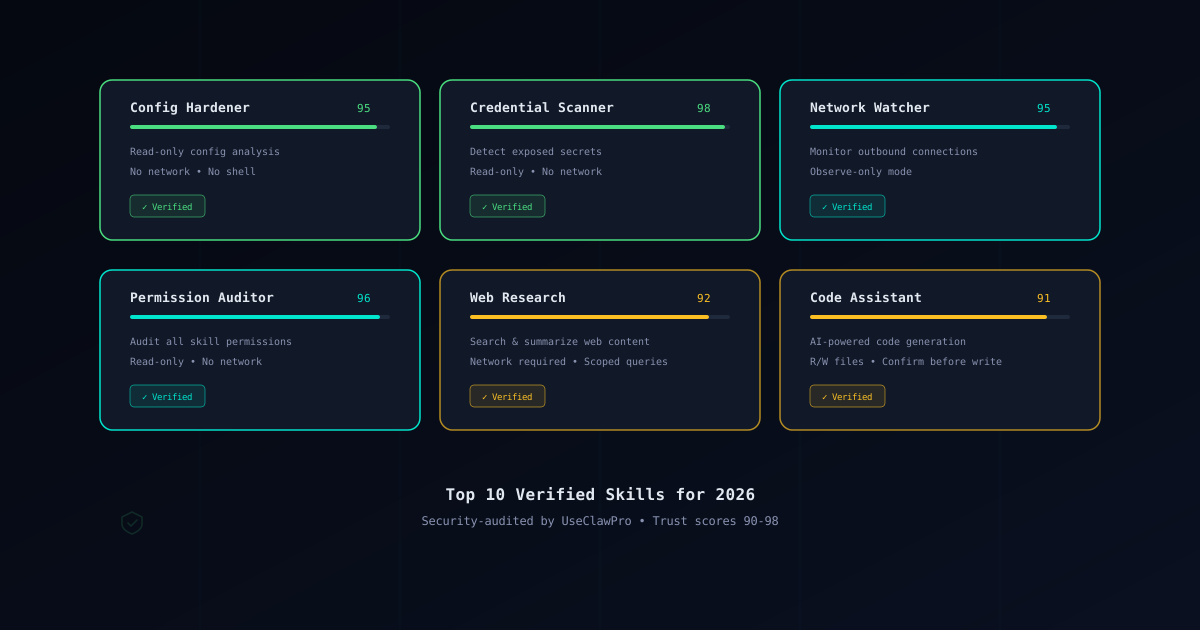
OpenClaw’s real power comes from its skill ecosystem. Skills let you extend the agent with new capabilities — web search, code generation, workflow automation, network monitoring, and more. But not every skill on ClawHub is safe. Some carry excessive permissions, others have unaudited dependencies, and a few are outright malicious.
That is why we audit skills before recommending them. This guide covers the 10 best OpenClaw skills for 2026, each one reviewed for security, usefulness, and reliability by the UseClawPro team. If you want the short version: install only from the Verified Skills catalog, and always check a skill with the Skill Verifier before adding it to your setup.
How We Select and Verify Skills
Every skill in this list has passed a multi-step verification process. Here is what we look at:
Code review. We read the source. Every file in the skill package is inspected for obfuscated code, unexpected network calls, lifecycle hooks that run arbitrary commands, and anything that touches files outside the declared scope.
Permission audit. We check the skill manifest against the principle of least privilege. A skill that requests network: allow and shell: allow when it only needs to read local files is a red flag. We document exactly what each skill needs and why.
Trust score. Each skill receives a trust score from 0 to 100, based on code quality, permission scope, maintainer track record, dependency health, and community reports. Scores above 90 indicate high confidence. Scores below 80 are not included in our recommendations.
Ongoing monitoring. Verification is not a one-time event. UseClawPro continuously audits and updates the catalog as skills release new versions. If a previously safe skill introduces a risky change, we flag it and remove it from the verified list until the issue is resolved.
For a deeper look at how skill verification works, see our Skill Verification Guide.
Top 10 OpenClaw Skills for 2026
1. Config Hardener
Trust Score: 95
Config Hardener analyzes your OpenClaw configuration and recommends changes that reduce your attack surface. It checks for overly permissive defaults, missing sandbox settings, exposed file paths, and insecure shell configurations. Instead of blindly applying changes, it presents a diff and asks for confirmation before modifying anything.
This skill is safe because it requires only read access to your OpenClaw config directory and write access limited to the same directory. It makes no network calls and has no install hooks. If you are setting up OpenClaw for the first time or hardening an existing installation, this is the first skill to install.
2. Credential Scanner
Trust Score: 98
Credential Scanner searches your workspace for accidentally exposed secrets — API keys in .env files, tokens in shell history, private keys in project directories, and credentials committed to git. It supports pattern matching for all major providers (AWS, GCP, Azure, Anthropic, OpenAI, Stripe, and dozens more).
This skill earns the highest trust score on our list. It operates in read-only mode with no network access, so your secrets never leave your machine. It is the digital equivalent of a lint check, but for credentials. Pair it with our Credential Protection Guide for a complete secrets hygiene workflow.
3. Dependency Auditor
Trust Score: 93
Dependency Auditor inspects the dependencies of your installed skills and flags known vulnerabilities. It cross-references package versions against public vulnerability databases and alerts you to outdated or compromised libraries before they become a problem.
The skill needs read access to skill manifests and node_modules directories, plus limited network access to fetch vulnerability data from public advisory databases. Network calls are scoped to specific registry endpoints, and no workspace data is transmitted. This is especially useful if you install skills from ClawHub that bundle their own dependencies.
4. Incident Responder
Trust Score: 96
Incident Responder provides automated playbooks for common security incidents — suspected credential leaks, unauthorized network connections, unexpected file modifications, and compromised skills. When triggered, it walks you through containment, investigation, and recovery steps tailored to your specific setup.
The skill requests read access to logs and configuration files, but no write access and no network access. It does not take automated action; it guides you through the response process with clear, step-by-step instructions. For teams running OpenClaw in production or on shared infrastructure, this skill turns a panicked response into a structured one.
5. Network Watcher
Trust Score: 95
Network Watcher monitors outbound connections made by your OpenClaw skills in real time. It logs every DNS lookup, HTTP request, and WebSocket connection, and flags anything that does not match the skill’s declared network scope. If a skill claims it only talks to api.github.com but starts connecting to an unknown endpoint, you will know immediately.
This skill requires network monitoring permissions, which sounds broad, but it operates in observation mode only — it does not modify or block connections. Think of it as tcpdump for your skill ecosystem. Combine it with the network: none default from our Security Guide for defense in depth.
6. Output Sanitizer
Trust Score: 94
Output Sanitizer intercepts LLM output before it reaches execution and scrubs it for injection patterns. It detects prompt injection attempts, hidden instructions embedded in model responses, and content that tries to escalate permissions or modify your configuration without consent.
The skill hooks into the output pipeline with read-write access to the response stream, but nothing else. No file access, no network, no shell. This is a critical defense layer if you use OpenClaw with untrusted input sources — web content, user-submitted prompts, or third-party data feeds.
7. Permission Auditor
Trust Score: 96
Permission Auditor reviews the permission manifests of all your installed skills and produces a clear report of what each one can access. It highlights skills with excessive permissions, flags mismatches between declared and actual behavior, and suggests tighter permission configurations.
This skill needs read access to skill manifests and the OpenClaw configuration directory. No network, no shell, no write access. Run it after installing new skills or as part of a regular security review. It pairs well with Config Hardener — one hardens your config, the other audits your skills.
8. Web Research
Trust Score: 92
Web Research gives OpenClaw the ability to search the web, fetch pages, and summarize content. It supports multiple search providers and returns structured results that the agent can reason over. Useful for looking up documentation, checking current library versions, researching error messages, and gathering context for code decisions.
This skill requires network access by design — it would be useless without it. What makes it safe is the implementation: requests are scoped to user-initiated queries only, no data from your workspace is included in search requests, and all fetched content is sandboxed before being passed to the model. The trust score is slightly lower than pure-local skills because network access inherently increases the attack surface, but the implementation is solid.
9. Code Assistant
Trust Score: 91
Code Assistant provides AI-powered code generation, refactoring, and explanation with built-in safety guards. It can generate boilerplate, suggest fixes, explain complex code blocks, and produce tests — all while respecting file access boundaries and requiring confirmation before writing changes.
The skill needs read-write access to your project files and, optionally, network access for model API calls (if you are not routing through the Gateway). Every write operation requires explicit confirmation. The trust score of 91 reflects the broader permission scope needed for a code-generation tool, but the confirmation-before-write pattern keeps it safe in practice. See our Installation Guide for how to configure it alongside the Gateway.
10. Task Automation
Trust Score: 90
Task Automation lets you define repeatable workflows — sequences of skill invocations, file operations, and checks that run in order with permission gates at each step. Think of it as a lightweight CI pipeline inside OpenClaw: run linter, then tests, then deploy, with confirmation prompts between stages.
This skill requires the broadest permissions on this list because it orchestrates other skills. File read-write, network (optional), and shell access (with prompt mode) are all in scope depending on the workflow you configure. The trust score of 90 reflects this breadth. We recommend using it only in sandbox mode and only with workflows you have reviewed. The permission controls are well-designed — each step declares its own requirements and asks before executing.
How to Install Skills Safely
Installing a skill takes one command, but doing it safely takes a few extra steps. Here is the process we recommend:
Step 1: Verify before installing. Paste the skill name or ClawHub URL into the Skill Verifier. Review the permission report. If anything looks excessive or unexplained, do not install it.
Step 2: Check the Verified Skills catalog. If the skill appears in our Verified Skills list, it has already been audited. This is the lowest-risk installation path.
Step 3: Install with least privilege. When adding a skill, start with the most restrictive permissions and only open up what is actually needed:
# Install a skill
openclaw skills install <skill-name>

# Review what it requested
openclaw skills info <skill-name>
Step 4: Run in sandbox mode. If you are trying a skill for the first time, run OpenClaw in sandbox mode so the skill cannot affect your host system:
openclaw --sandbox "test the new skill"Step 5: Monitor after installation. Use Network Watcher and Permission Auditor (both on this list) to keep an eye on what your skills are actually doing after installation.
For the complete walkthrough, including how to handle skills that fail verification, see our Skill Verification Guide.
Conclusion
The OpenClaw skill ecosystem is growing fast, and that growth includes both legitimate tools and malicious actors trying to exploit trust. The 10 skills in this guide represent the best of what is available in 2026 — each one is useful, well-built, and security-audited.
The pattern is simple: verify first, install from trusted sources, run in sandbox mode, and monitor what your skills are doing. UseClawPro continuously audits and updates the Verified Skills catalog so you do not have to do this work alone.
Browse the full catalog at Verified Skills to find audited skills for your specific use case. If you want to verify a skill that is not in the catalog, use the Skill Verifier to get an instant security assessment.
If you are new to OpenClaw security, start with our OpenClaw Security Guide for a complete threat model and hardening walkthrough.