ClawHub Malicious Skills: How to Verify Skills Before Installing
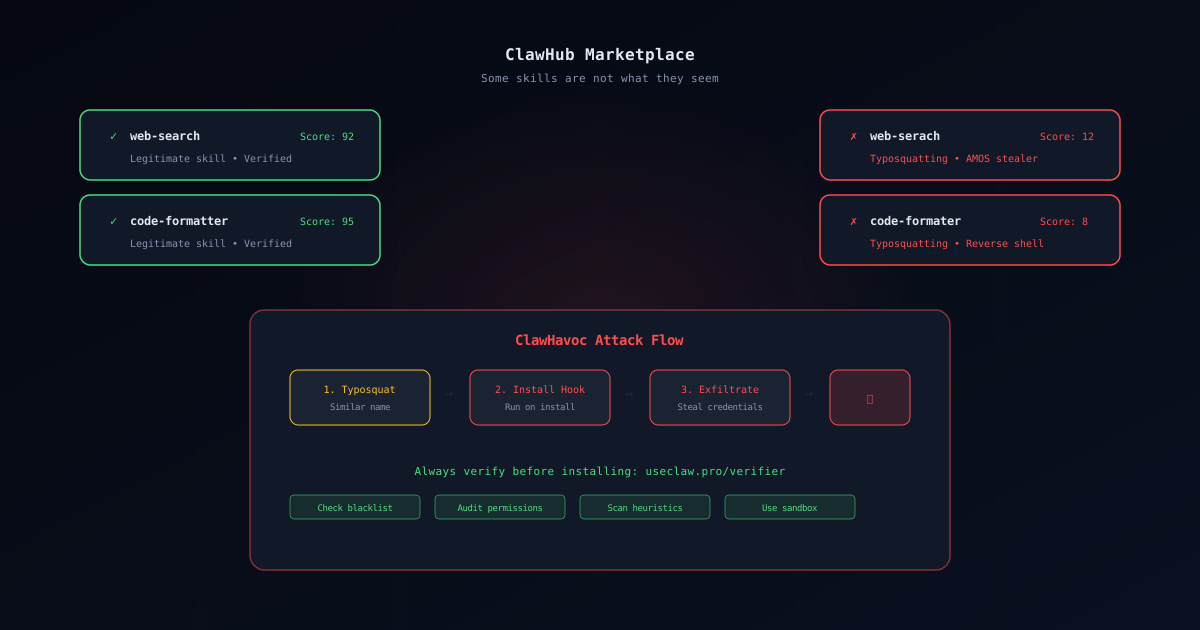
ClawHub enables fast extensibility — but it also creates a familiar security problem:
Untrusted third‑party packages (think: npm/pip), now with permissions to read files, run shell commands, and access networks.
If you’re searching “clawhub malicious skills”, here’s the practical workflow.
What malicious skills usually do
Common patterns:
- Typosquatting (a look‑alike name)
- “Prerequisite” malware (download/run something first)
- Data exfiltration (
.env, tokens, SSH keys) - Reverse shells / backdoors
For public incident context, see:
Safe workflow (UseClawPro)
Step 1 — Sandbox first
Run OpenClaw in isolation → Sandbox Setup
Step 2 — Default deny network
If a skill can’t call home, it’s much harder to steal anything.
Step 3 — Verify the skill
Use the tool page:
Step 4 — Prefer audited installs
If you want the lowest-risk path:
If you suspect you installed a malicious skill
- disconnect network
- rotate keys
- inspect recent changes (
git diff) - remove the skill
- reinstall from audited sources
Full playbook: OpenClaw Security Guide